I see it happening too often. A credential expires, goes unnoticed, and causes downtime. Granted, you should have DevOps processes in place to handle credential rotation, but if you don’t, the risk is significant. That’s why I created Sharp Cert Manager a few years ago as a simple tool to help monitor and notify about certificate expiration. It might not fix the problem for you, but it will nag you often enough that you will probably take action.
Over the last few years, I worked on a project that required all secrets to be rotated on a specific cadence to align with NIST recommendations. In that project, we had introduced processes to monitor and rotate the secrets in addition to the certificates, but I realized that monitoring secrets would be a great addition to Sharp Cert Manager — but at that point, it wasn’t really about certs anymore, was it?
Today, I released a beta version of Sharp Cred Manager. Note that the project, repository, and Docker image were all renamed to reflect the broader scope. The notable features in v2-beta are:
- Added Azure Key Vault secret monitoring alongside existing certificate monitoring capabilities.
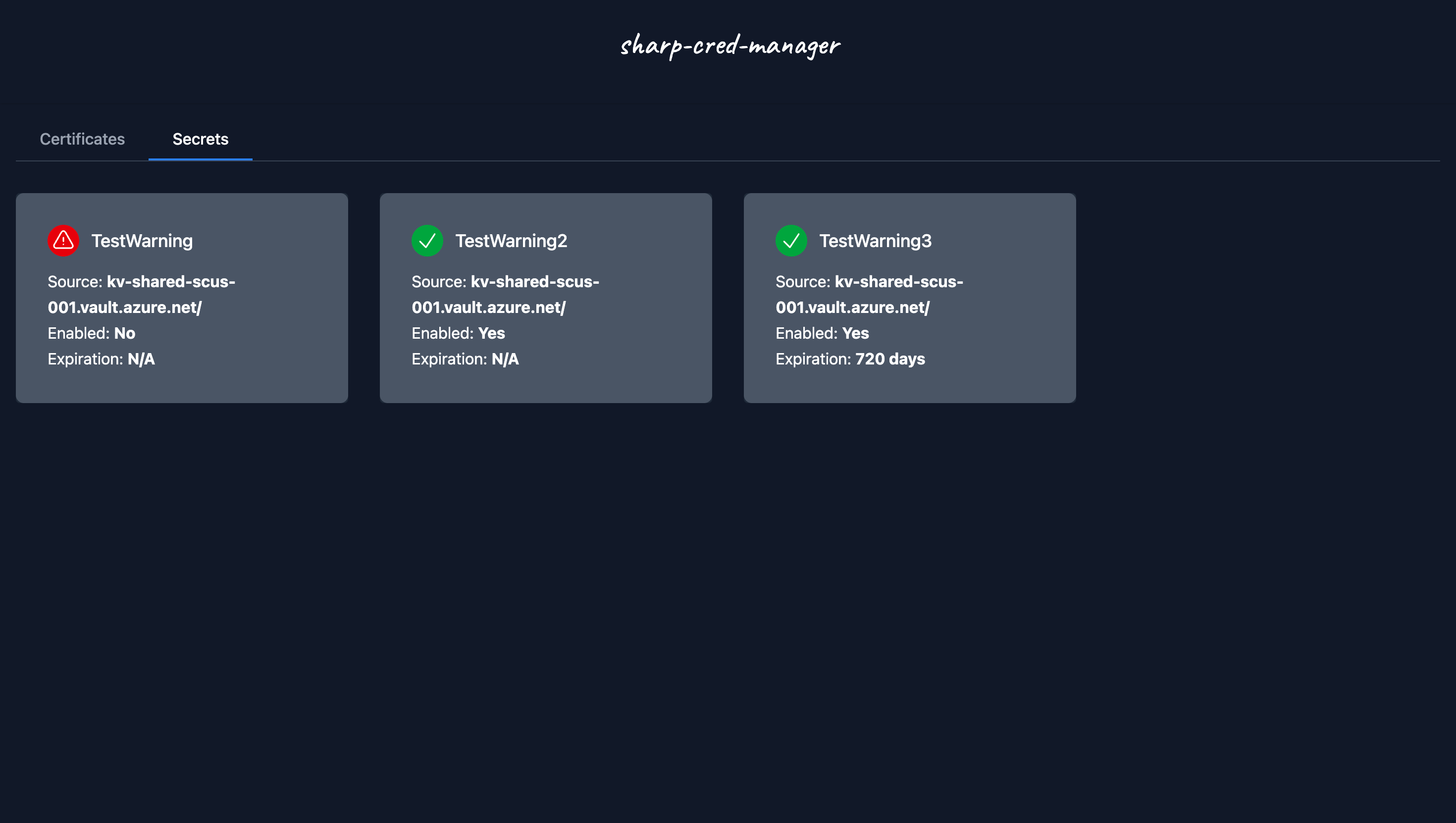
- Monitored secrets are displayed on the dashboard and included in webhook notifications.
[BREAKING]The environment variableAZUREKEYVAULT_Nwas renamed toAZUREKEYVAULTCERT_N.
The general look and feel is preserved, with minor adjustments to display secrets in the dashboard and webhook notifications. Take a peek below:
Dashboard:

Slack Notification:

Teams Notification:

You can review the full documentation, including a Getting Started guide and Migration Guide, at Sharp Cred Manager - GitHub.
If you want to try out the app, the easiest way is to spin it in a local container:
| |
I hope you give Sharp Cred Manager a try.
Cheers,
Lucas