Right now, there are many AI assistants available for coding. Claude Code, GitHub Copilot CLI, Codex CLI, and Gemini CLI are some of the most widely used options for terminal-based workflows. While it is difficult to determine feature parity, and probably not helpful, there are many common features supported by these assistants such as: custom agents, skills, MCP, hooks, and slash commands. In this post, I’ll explore sharing these capabilities across multiple assistants.
NOTE: for simplicity, I will use just Claude for Claude Code and Copilot for GitHub Copilot CLI for the remainder of this post.
As a consultant, I often find myself building similar solutions. So, it is very common for me to capture IP from a project when it ends and reuse it to some capacity in other projects. As we shift to more AI assisted development, the skills, prompts, custom agents and other tools created for a project can be reused as well. This is not really that different from packaging a piece of code and distributing it or having it open-source. For AI assistant reusable pieces, plugins or extensions are a good way to “rinse and repeat”.
Extending AI assistant with plugins
Plugins are packages that extend the functionality of the AI assistant (Copilot’s definition, Claude’s definition). The main benefit of plugins or extensions is the ability to share functionality across projects and teams.
All 4 AI assistants we are discussing here support plugins/extensions. However, the support varies drastically. See below for a simple, non-exhaustive, side-by-side comparison of the plugin structure for each assistant. It should give you an idea of what can be added into a plugin.
| |
Gemini sub-agents are in preview as of this writing
Each AI assistant allows a number of artifacts to be shared via plugins. Claude allows far more sharing than the others, with the only common capability across all the assistants we are reviewing in this post being skills.
After creating a plugin, you may distribute it in a number of ways. The most common way to distribute a plugin is via a GitHub repo or through a marketplace, either also in GitHub or public. Since the GitHub approach is what I use the most often, I will focus on that here. Here is a non-exhaustive list of options to install a plugin:
| |
Before creating a unified plugin, let’s explore the key differences between each assistant’s plugin system.
Comparing marketplace manifest
A marketplace allows for discovery and installation of plugins. You could use it as a centralized repository used by your organization for instance. Note that Gemini does not have a similar concept to a marketplace. Gemini’s extensions are installed from a URL or local path.
Claude, Copilot and Codex use a similar schema for their marketplace, though they are found in different locations in the marketplace repository. See the details at: Copilot, Claude, Codex.
| Field | Copilot | Claude | Codex CLI |
|---|---|---|---|
| Default location | .github/plugin/ or .claude-plugin/ | .claude-plugin/ | .agents/plugins/ or .claude-plugin/ |
name | Required | Required | Required |
owner | Required (name, email?) | Required (name, email?) | — |
plugins[] | Required | Required | Required |
metadata block | Optional (description, version, pluginRoot) | Optional (pluginRoot) | — |
interface.displayName | — | — | Optional display name |
plugins[].name | Required | Required | Required |
plugins[].source | Required (path, GitHub, or URL) | Required (path, GitHub, URL, npm, or git-subdir) | Required (local, url, or git-subdir) |
plugins[].policy | — | — | Optional if using Claude Code marketplace.json |
plugins[].category | Optional | Optional | Recommended |
plugins[].strict | Optional | Optional | — |
allowCrossMarketplaceDependenciesOn | — | Optional | — |
| Common optional plugin fields | description, version, author, homepage, repository, license, keywords, tags | Same as Copilot | description |
See below for marketplace.json compatible with all three:
| |
Comparing plugin/extension manifest
To review the complete manifests, use the following links: Copilot, Claude, Codex, Gemini
See below a list of the important fields in the manifests. This is a non-exhaustive list.
| Field | Copilot | Claude | Codex CLI | Gemini CLI |
|---|---|---|---|---|
| Manifest filename | plugin.json | .claude-plugin/plugin.json | plugin.json (plugin) + marketplace.json (distribution catalog) | gemini-extension.json |
| Required identity field | name | name (if manifest is used) | name (in plugin and marketplace entries) | name |
| Version field | version | version | version (plugin manifest), plus marketplace policy/versioning workflow | version |
| Description field | description | description | description | description |
| Author/publisher metadata | author, homepage, repository, license, keywords, category, tags | author, homepage, repository, license, keywords | interface block for display/publisher UX metadata (open-source schema) | No dedicated author object in core examples; metadata is lighter by default |
Common fields across all four: name, version, and description.
Comparing skills
Skills are largely the same in all assistants because of the Open Agent Skills format originally developed by Anthropic. They are added to a skills folder with a sub-folder with the skill name. The skill itself is a markdown file with YAML frontmatter. The markdown content is the skill instructions while the frontmatter provides fields for discovery and setup. Each assistant may interpret the frontmatter a bit differently, so keep that in mind when creating skills for multiple assistants.
The YAML frontmatter requires a name and description field. The name is typically in kebab-case and is the skill identifier. The Description provides details about the plugin including when it should be used. See the Open Agent Skills Specification for standard fields supported.
| |
Comparing custom agents structure
NOTE: Codex CLI support custom agents, but not as a plugin-packaged artifact. Because of this, we will compare Claude, Copilot, and Gemini agents only. Gemini sub-agents are in preview as of writing.
A custom agent is simply a markdown file with YAML frontmatter. The markdown content is used as instructions while the YAML frontmatter fields are used for discovery and setup of the custom agent. The main differences are the file name (agent-name.md for Claude and agent-name.agent.md for Copilot) and the frontmatter schema.
For a complete comparison, I recommend reviewing the docs at Claude Docs, GitHub Copilot Docs, and Gemini Docs. However, the name and description are common and required. Other fields like tools will also differ in value such as: bash vs Bash. However, you can include both options when creating a common custom agent.
| |
Comparing hooks.json
Hooks can be added to plugins in Claude, Copilot, and Gemini. You can probably reuse the scripts used by the hooks, but not the hook.json file as its format is different for each agent. See examples from the docs below:
Claude example:
| |
Gemini example:
| |
| |
Comparing .mcp.json
Claude, Copilot, and Codex all support standard mcp configuration in their plugins so this is fairly portable. You can see the schema as typescript or json in the modelcontextprotocol GitHub repo.
Example .mcp.json file:
| |
NOTE: Gemini does support MCP configuration in the
gemini-extension.jsonfile but not in the.mcp.json
Comparing Language Server file
Language Server Protocol files (lsp.json) are supported by both Copilot and Claude. LSP is an open standard from Microsoft so the file content should match. Note, however that according to docs the file names are different lsp.json for Claude vs .lsp.json for Copilot. However, version 1.0.6 of Copilot seems to have introduced support for .lsp.json.
WARNING: While Copilot documentation says LSPs should work via plugin using the
lsp.jsonfile, version 1.0.37 does not seem to support it. No errors are issued, but the configuration is also not respected.
Example .lsp.json file:
| |
Creating a cross AI assistant plugin
If you are targeting Claude, Copilot, and Codex creating a plugin that works for them is actually much simpler. Both Copilot and Codex support Claude’s plugins and no additional work should be needed. Note that only supported features will be loaded from the plugin. Thus, if you load a Claude plugin that has skills and monitors, only the skills will be usable in Copilot and Codex.
I’ve created a sample marketplace with a shared plugin at demo-ai-plugin repository. The folder structure should look like this:
| |
See below how the skills are loaded in Claude, Copilot, and Codex (Gemini excluded for brevity):
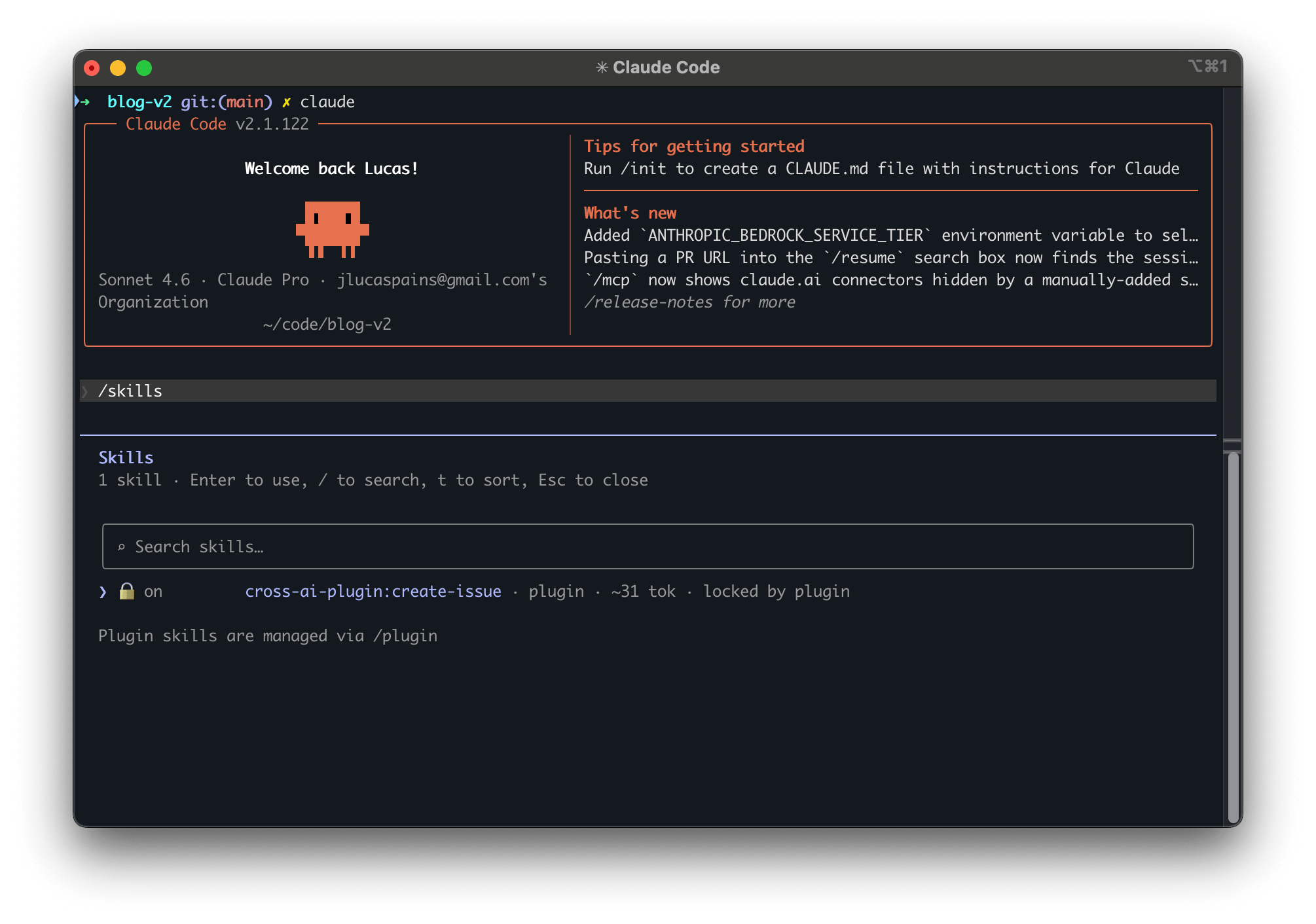
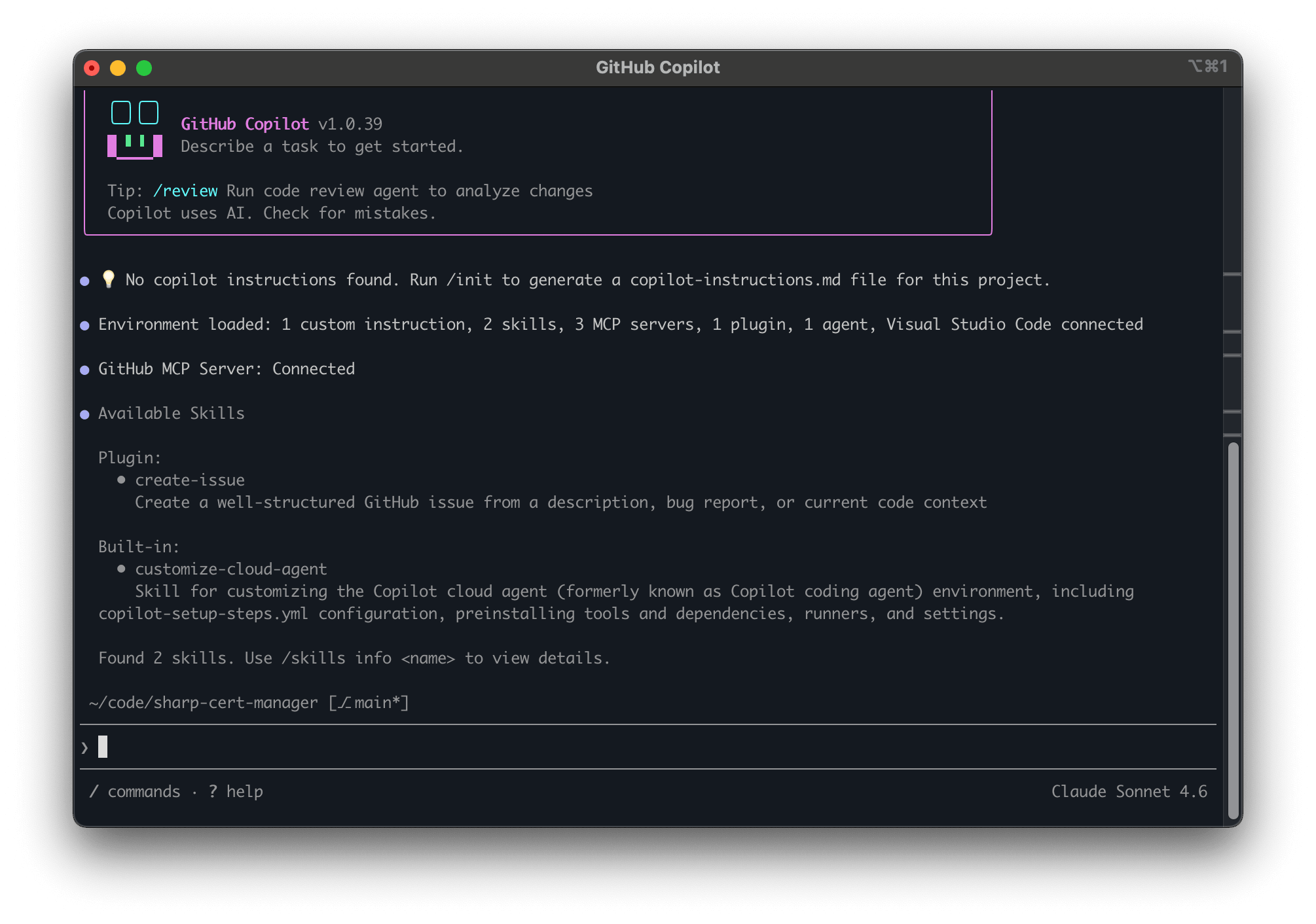
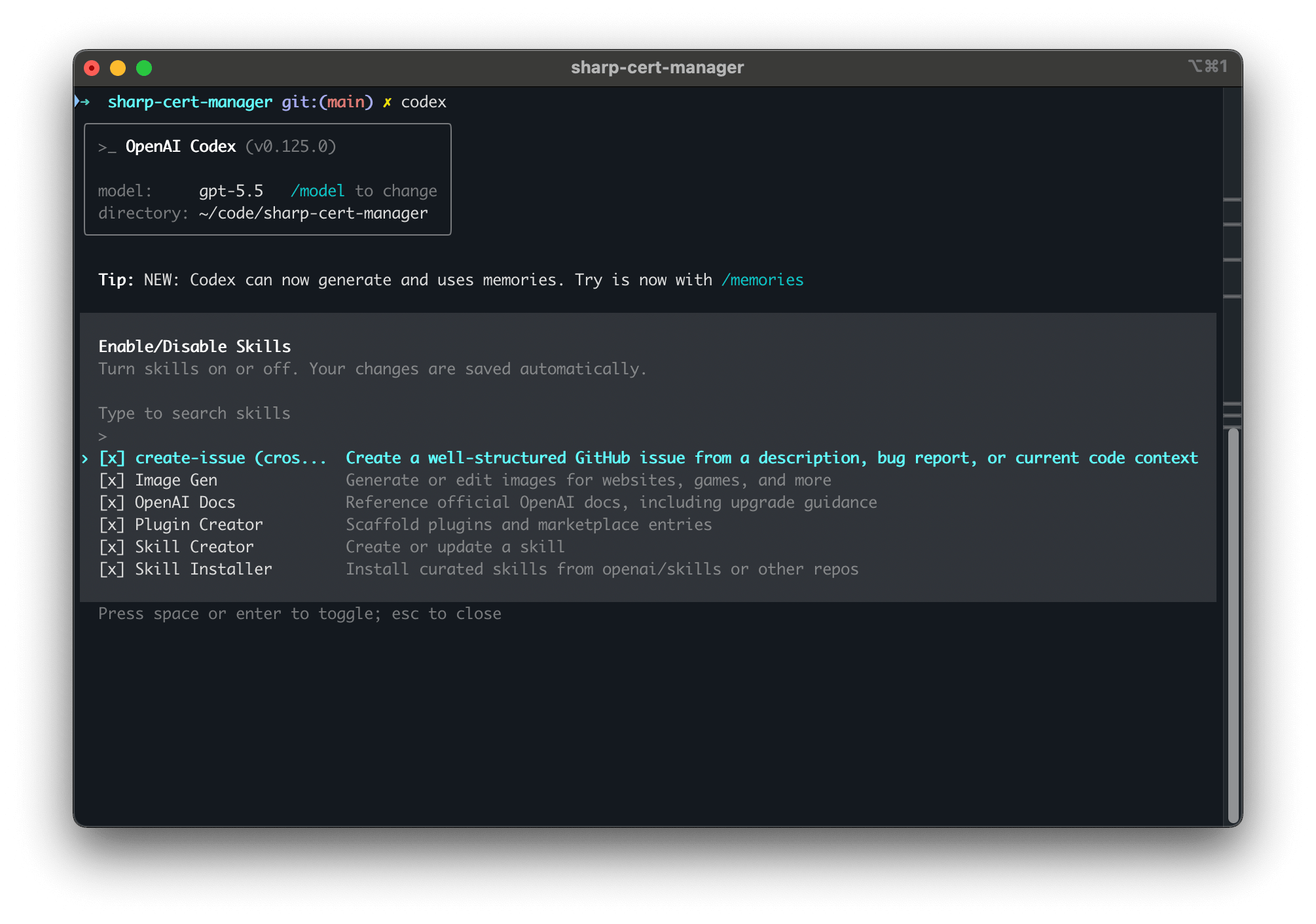
So, is this really worthwhile? It really depends on which assistants and which components you are targeting. If you want to share skills, there is enough in common to justify it. For everything else, it is up to your specific scenario, but unlikely to make sense.
Cheers,
Lucas